

User Memory is a Beta feature, available for orgs on the skills + persistent-memory architecture.
The Memory page
Open your workspace and go to its Memory page. It has two tabs.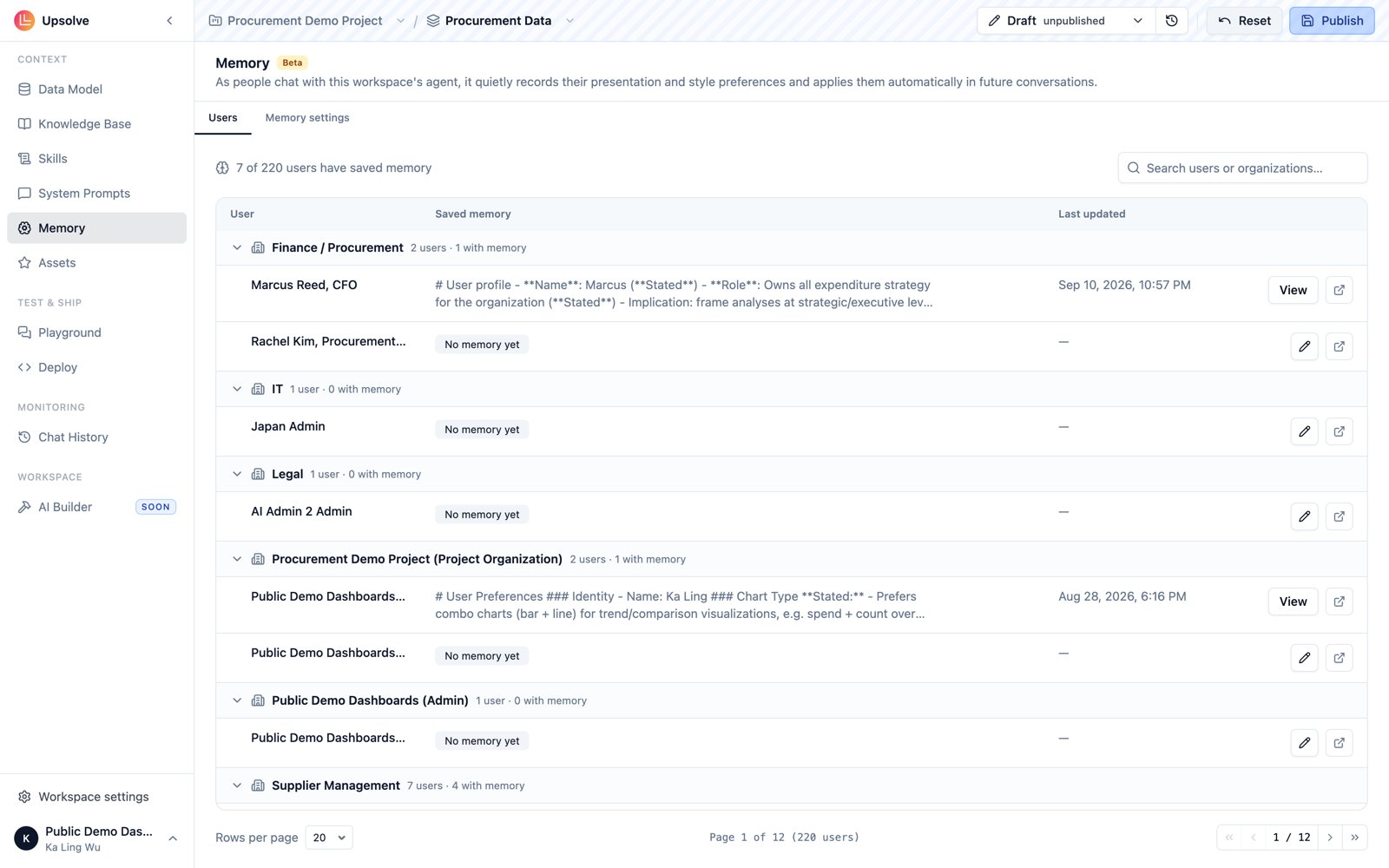
Users
A roster of every project user, with what the agent has actually recorded for each. Open a user to see their saved memory — a distilled set of working-memory notes in markdown, written by the agent itself as it observes that user’s stated requests and repeated behavior. Use it to answer “what does the agent think it knows about this user?” — invaluable when debugging why a returning user gets a different style of answer than a new one. If a user’s recorded preferences are wrong or stale, admins can clear their memory and let it rebuild from scratch.Memory settings
The advanced tab: a builder-editable Working memory template that defines how the agent records each user’s preferences — what categories it watches for and how it structures its notes. It’s stored alongside your other system prompts (asworking_memory_prompt) and is scoped to the workspace version, so template changes follow the same draft-and-publish flow as your other prompt edits.
The default template works for most agents — start with it and only customize once you see the recorded memories miss something your users care about.
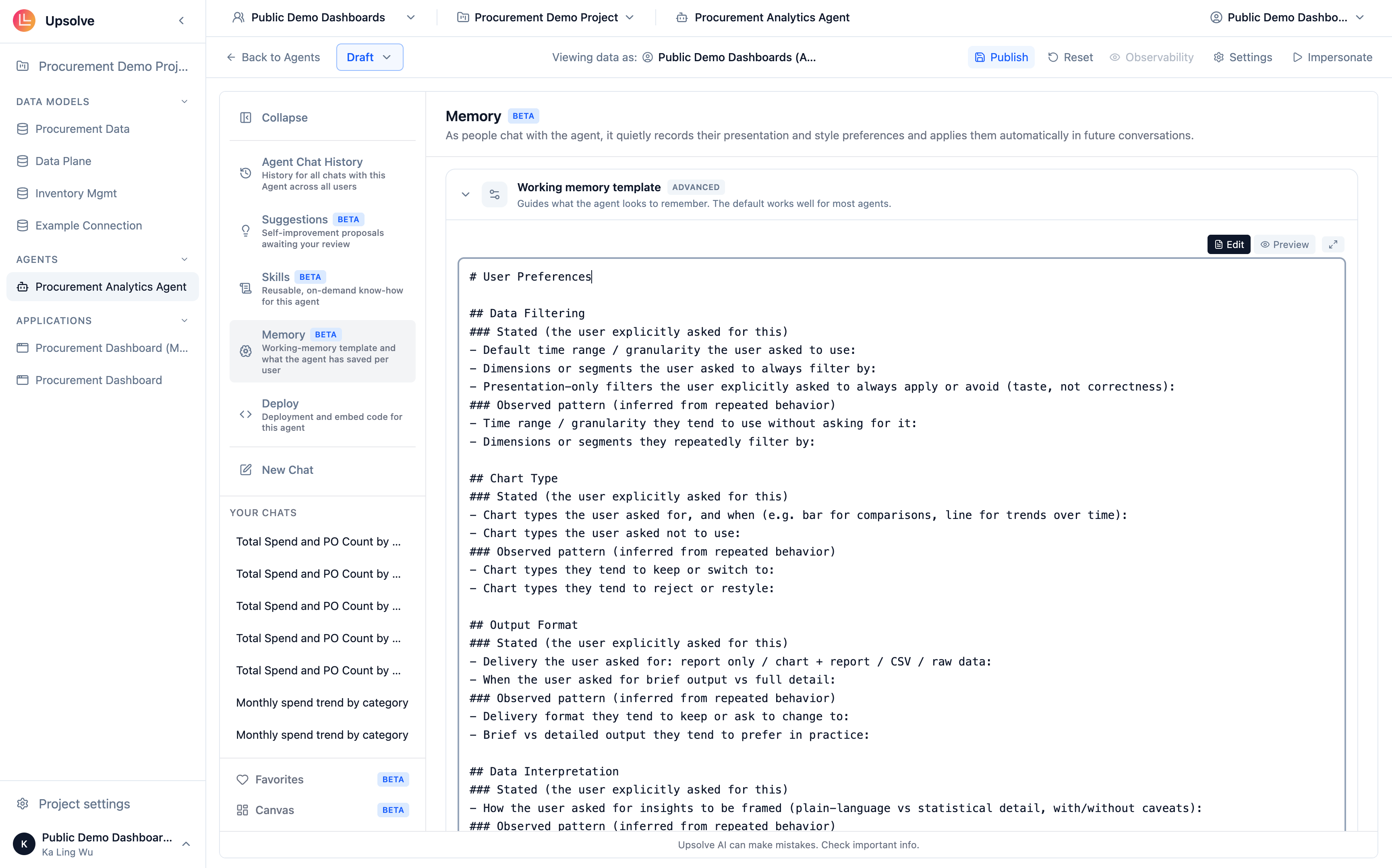
What the default template records
The default template organizes each user’s preferences into five categories:
Within each category, the template separates Stated notes (the user explicitly asked for this) from Observed pattern notes (inferred from repeated behavior). The distinction matters: stated preferences are strong signals the agent honors confidently, while observed patterns are weaker and yield to an explicit request in the moment.
The “frequently referenced entities” category exists to resolve ambiguity, not to set defaults — “when they say ‘our market’ they usually mean the EU region” tells the agent how to read a vague reference, not to silently filter every query to the EU.
Memory vs. Skills
Both features let the agent adapt over time, but at different scopes. Skills are know-how that applies to every user of the agent. User Memory is preference data that applies to one user. A skill teaches the agent how to do a cohort analysis; memory records that this user wants cohort analyses shown as tables.Next steps
Skills
Agent-wide know-how that complements per-user memory.
System Prompts
The always-on prompts the working memory template lives alongside.
Knowledge Base
Reference documents the agent searches on demand.
Data Model & Schema
The foundation every other context entry point builds on.